


See every session in context
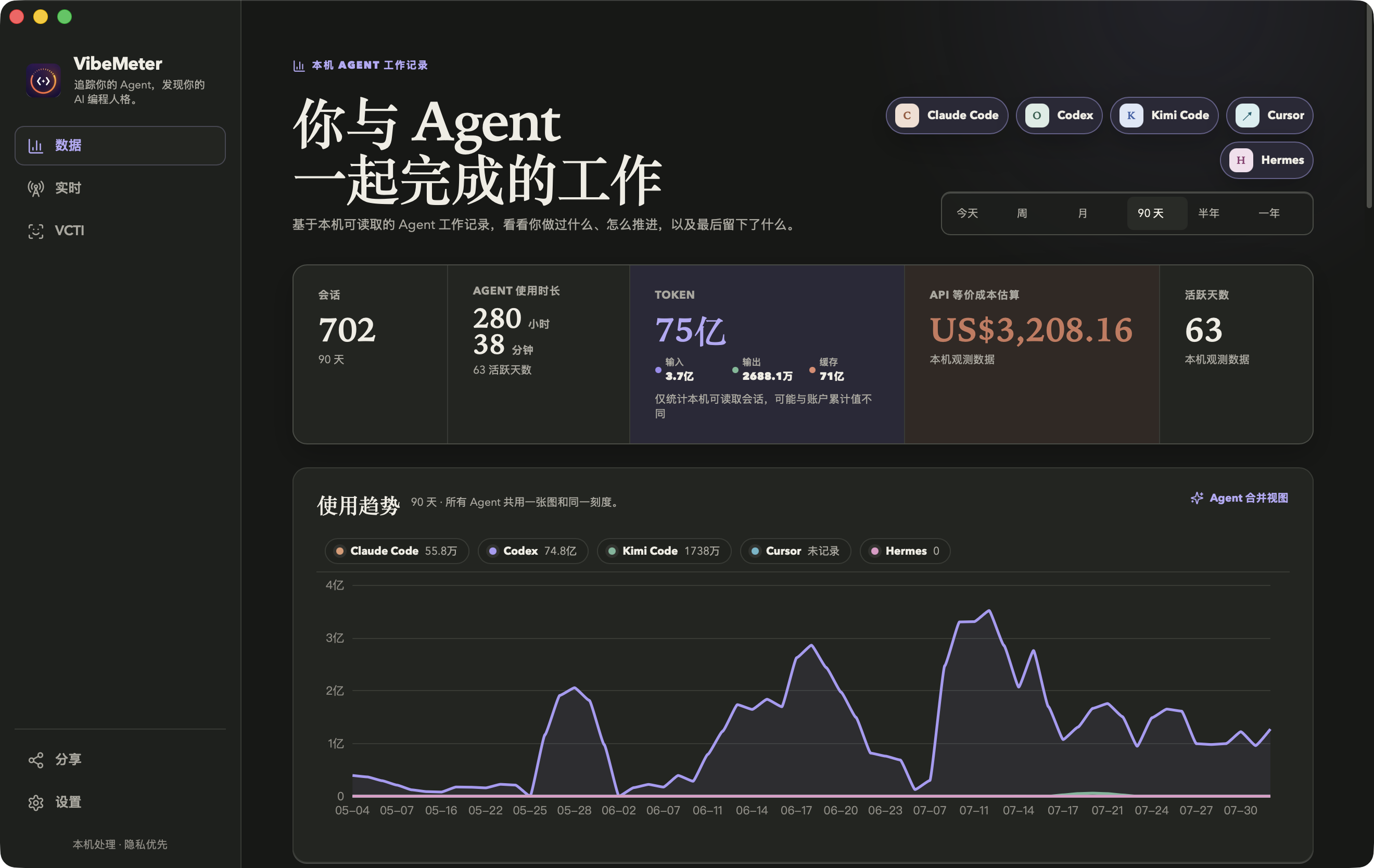
Sessions, time, tokens, skills, trends, models, and work events come together—no spreadsheet assembly required.
 VibeMeter
made for macOS
VibeMeter
made for macOS
Track Claude Code, Codex, DeepSeek Harness, Kimi Code, and ZCode live. Review each local session as a clear trajectory.
Free & open source · Apple Silicon + Intel · macOS 14+ · ad-hoc signed · not notarized
Agent coverage
Claude Code, Codex, DeepSeek Harness, Kimi Code, and ZCode provide precise live status and complete local history. Cursor, OpenClaw, and Hermes join the history wherever readable records are available.

Claude CodeLive + history

CodexLive + history

DeepSeek HarnessLive + history

Kimi CodeLive + history

ZCodeLive + history

CursorHistory when available
OpenClawHistory when available

HermesHistory when available
The full picture
Sessions, time, tokens, skills, trends, models, and work events come together—no spreadsheet assembly required.
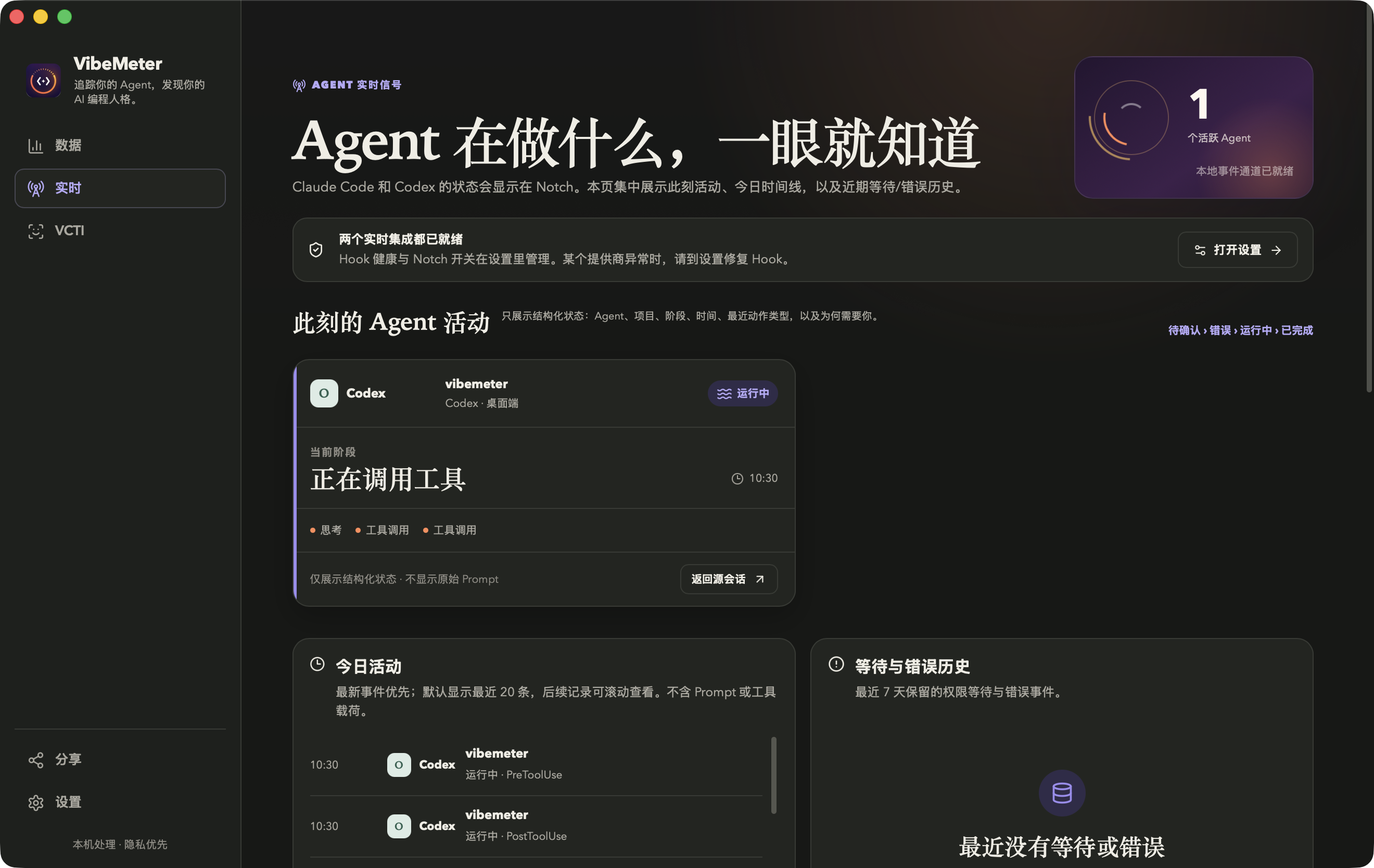
Notch and Live keep the agent, project, phase, and waiting state in view—without pulling you out of the work.
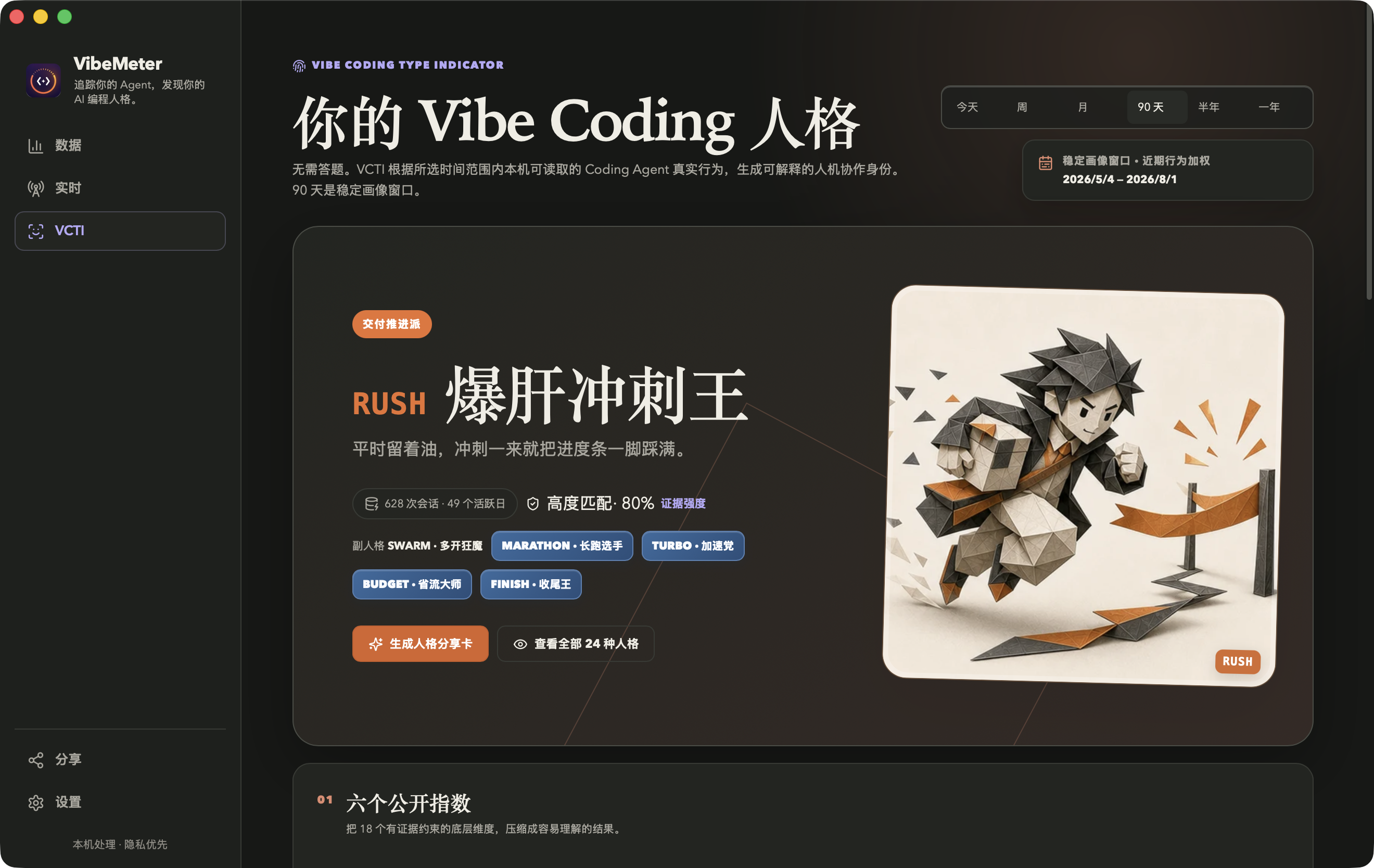
VCTI looks at how you start, delegate, verify, debug, and finish, then shows the closest profile with confidence and evidence.
See the phases a session moved through, then follow separate Input, Agent, and Tools lanes. Timestamps show duration when available; otherwise, the trajectory keeps the observed event order.
DeepSeek HarnessRefactor source adapter
By time
At a glance
Notch shows what is happening now. The menu bar shows usage, quotas, and provider status for the range you choose.
Active agents stay on the left, and the highest-priority state stays on the right.

Choose a time range, then check tokens, activity, quotas, and provider status in one compact view.
VCTI / 24
VCTI looks at how you start, delegate, verify, debug, and finish, then finds the closest match among 24 profiles.
Every result includes confidence and evidence. Short time ranges stay clearly provisional.
Fixed rules. Computed on your Mac.
Share
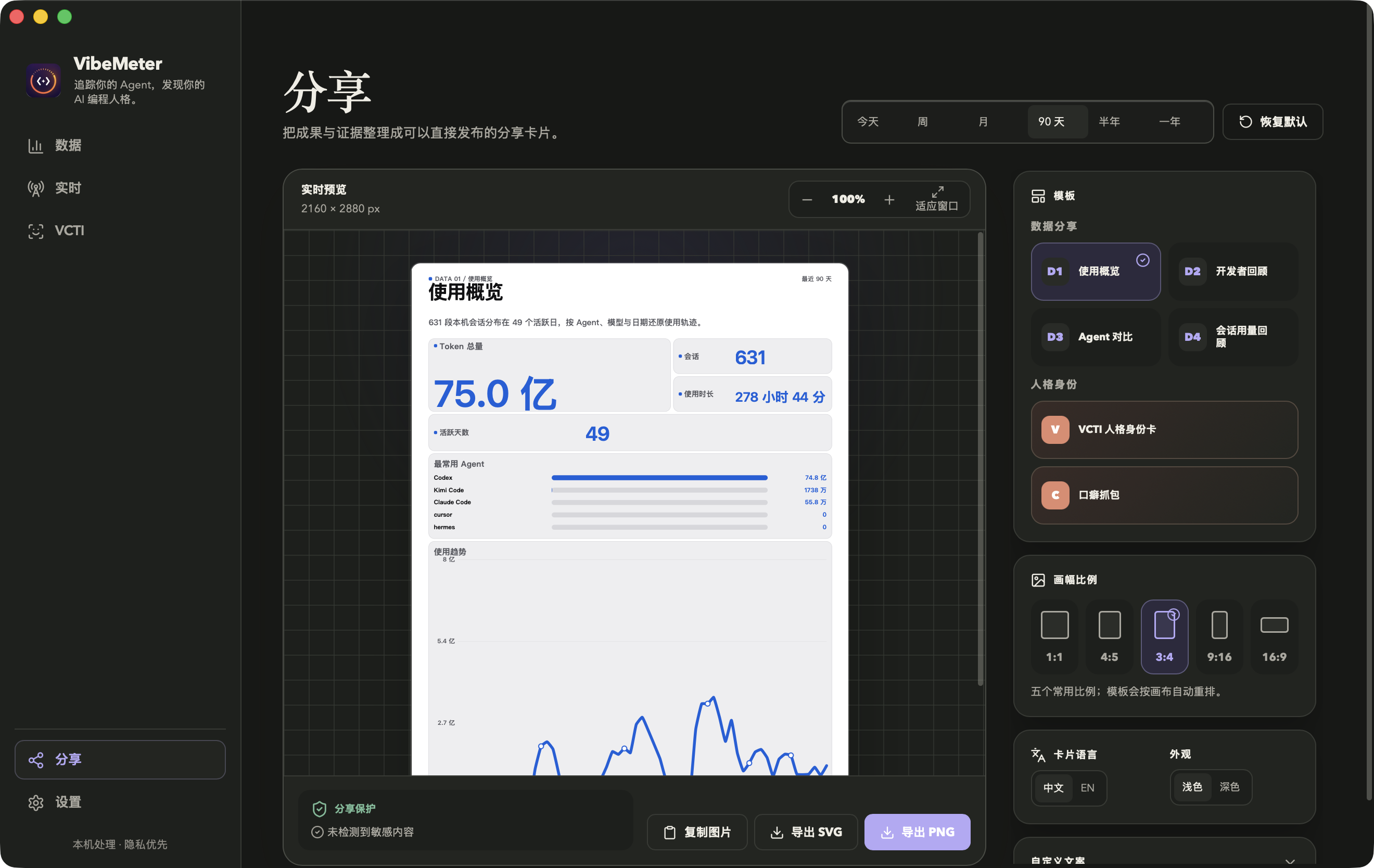
Turn usage, agent comparisons, VCTI, sessions, and catchphrases into Chinese or English cards that are ready to post.
What you preview is what you export. Share Guard checks for possible secrets and absolute paths first.
Local by design
Sessions are read and analyzed locally. Source histories and code repositories stay unchanged.
Notch and notifications use structured state—not prompts, code, paths, commands, or tool output.
Unavailable, not recorded, not observed, and true zero remain distinct. Empty data never becomes a made-up result.
Before you download
Choose the build for your Mac, then open the DMG and drag VibeMeter into Applications. ZIP builds are also available.
VibeMeter supports Apple Silicon and Intel Macs running macOS 14 or later. Both builds are ad-hoc signed and not Apple-notarized.
VibeMeter installs live hooks only after explicit onboarding consent. Existing configuration is merged, backed up, and removable from Settings.
VibeMeter is MIT licensed. Source code and releases are available on GitHub. GitHub.
Release history
VibeMeter for macOS
Choose the build that matches your Mac. DMG and ZIP are available for both Apple Silicon and Intel.